Upload a photo
Choose a clear JPG, PNG, or WEBP photo with a visible subject.
AI photo transformation
Convert any photo to anime in seconds. Upload a photo, choose a style, and download your result. Your first successful generation is free after sign-in.
Upload a photo and choose the anime look you want.
Sign in to get your first free image
How it works
Use your own photo as the visual starting point, describe the anime direction, and refine the result in the same workspace.
Choose a clear JPG, PNG, or WEBP photo with a visible subject.
Describe the style you want and state which face, pose, clothing, or composition details should stay recognizable.
Create the anime image, compare it with your reference, then download or refine the prompt for another variation.
AI photo to anime converter
The workspace uses image-to-image generation rather than a simple filter. Tell the AI what style to apply and what should remain recognizable, such as the face, pose, outfit, or composition.
Use a clear photo as the visual foundation for the new anime image.
Choose anime, manga, watercolor, or another direction in plain language.
Review the result, edit the prompt, and generate another variation when needed.
Free to start
New accounts get one free successful generation after signing in with Google. Further generations use the credits shown in the workspace. There is no unlimited free tier.
Anime styles
Choose a visual direction from the same image presets used in the generator, then refine the prompt for your own photo. You can also use the same anime styles in the AI image generator to create an image from a text prompt.
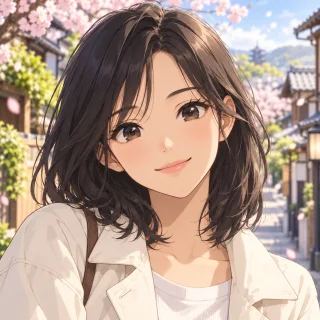
Keep a recognizable person while adding expressive anime features, clean lines, and polished shading.
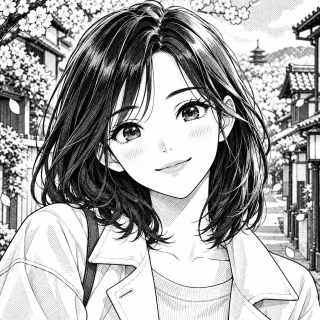
Turn a photo into high-contrast black-and-white artwork with expressive ink lines and a hand-drawn manga feel.
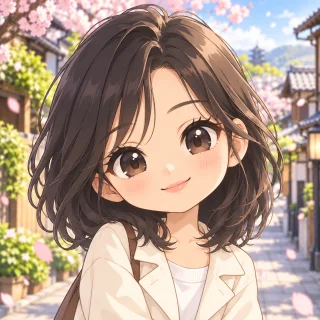
Use cute simplified proportions, a larger head, and expressive features while keeping the person recognizable.
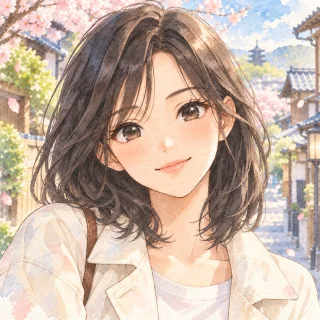
Blend soft washes, subtle texture, and anime-inspired character details for a gentler result.
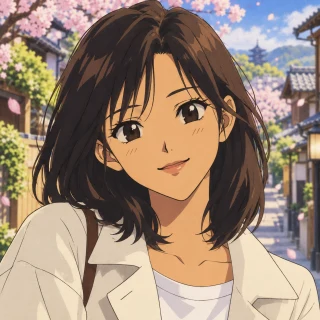
Recreate the nostalgic look of 1990s animation with crisp outlines, analog cel shading, and softly muted color.
Photo to anime transformations
Browse transformations by subject, from people and couples to animals. Use each example as a starting point for your own prompt.
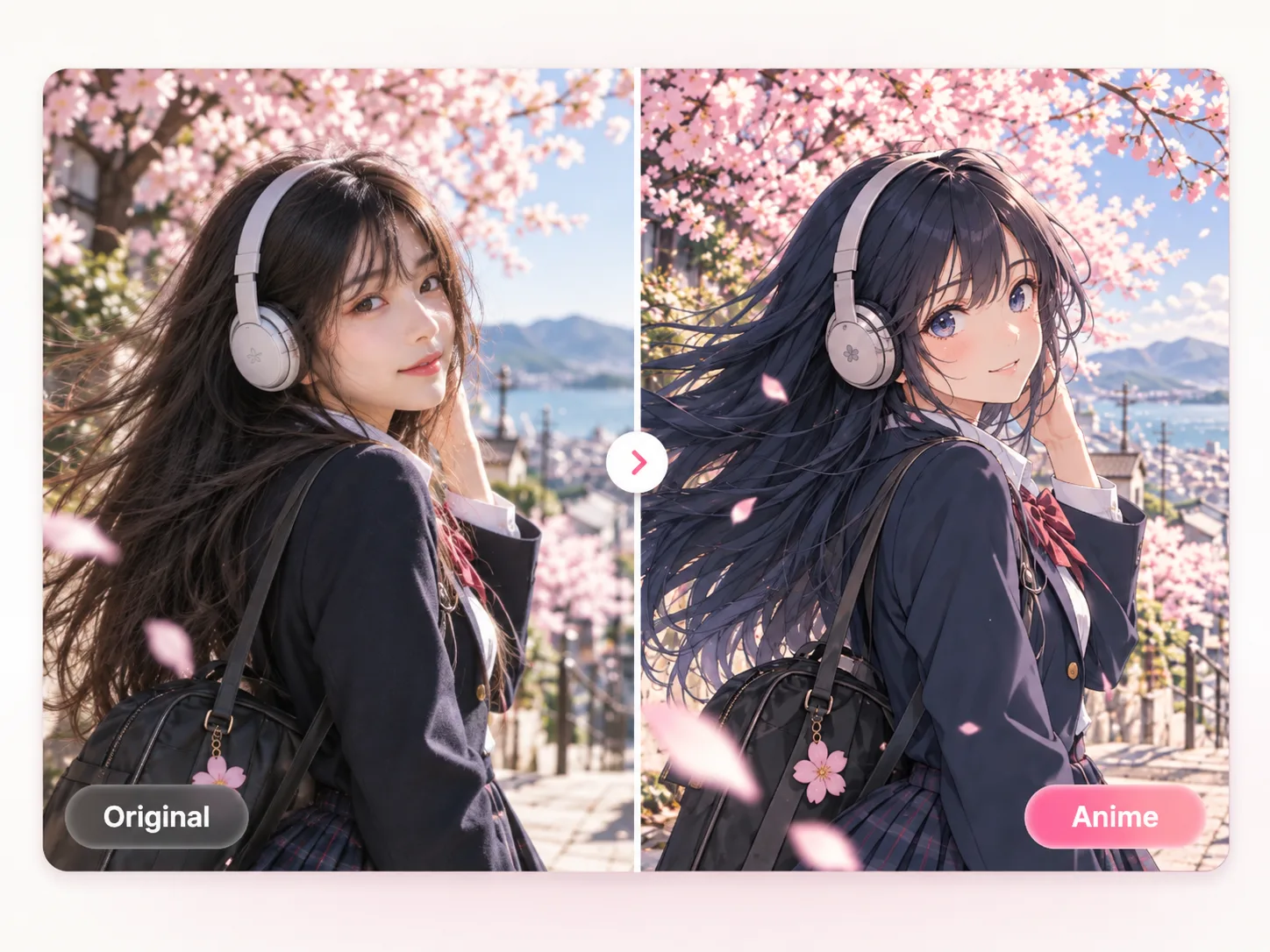
Turn this photo into a polished anime illustration. Keep the same face, expression, hairstyle, pose, and clothing colors.
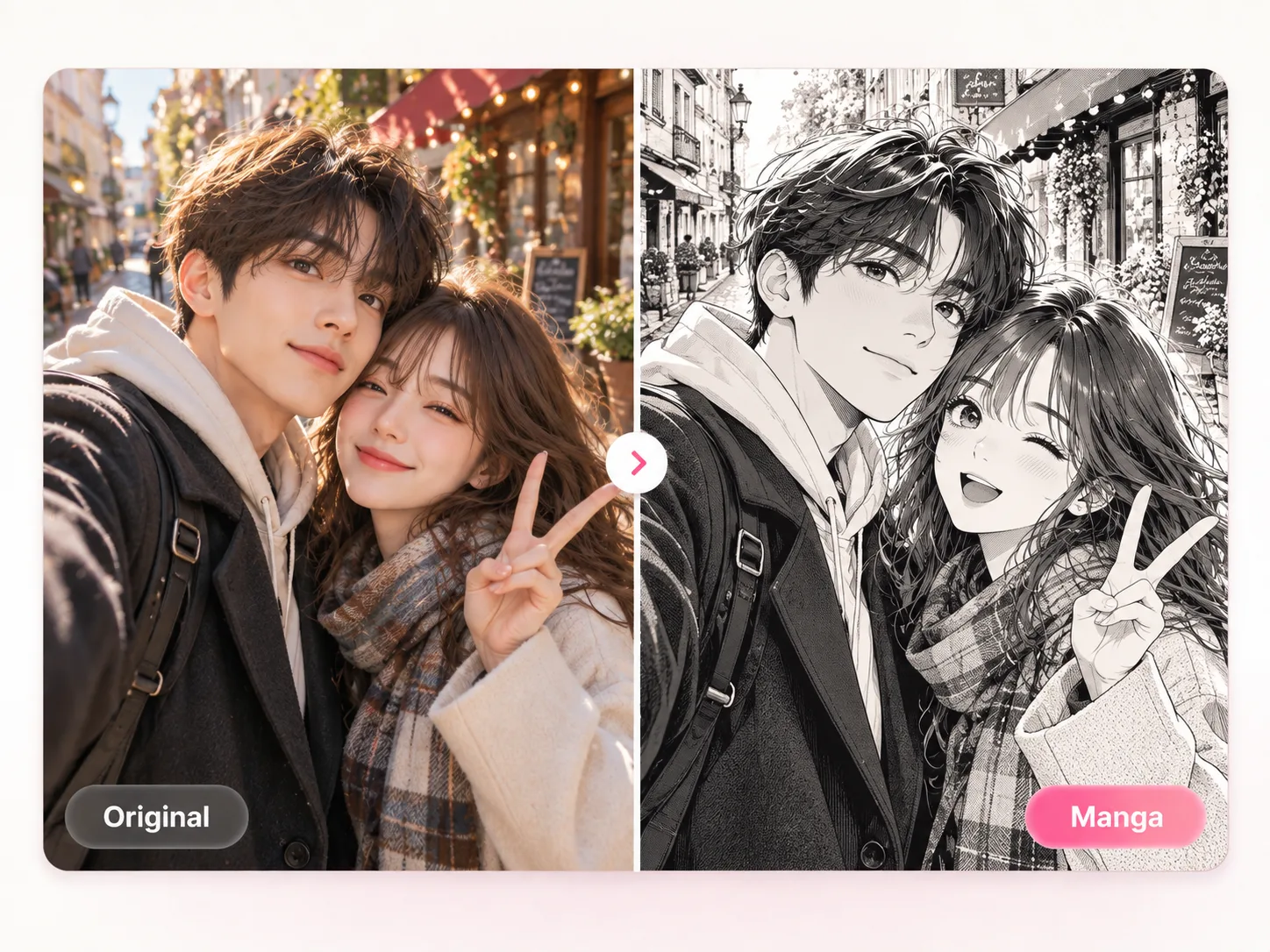
Convert this photo into clean black-and-white manga line art. Keep the subject, pose, composition, and recognizable details.
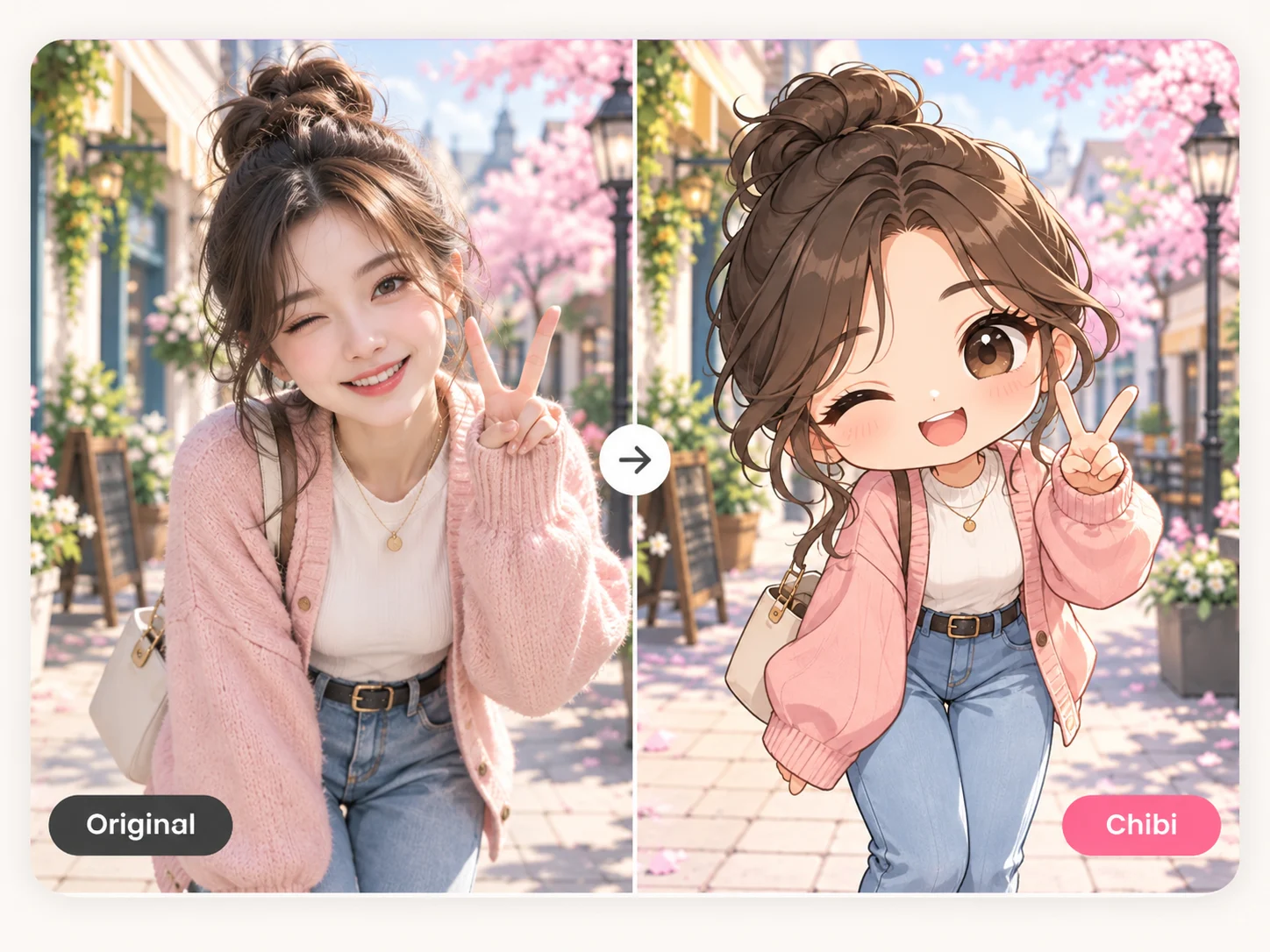
Turn this photo into a cute chibi anime character with simplified proportions while keeping the face, expression, and clothing recognizable.
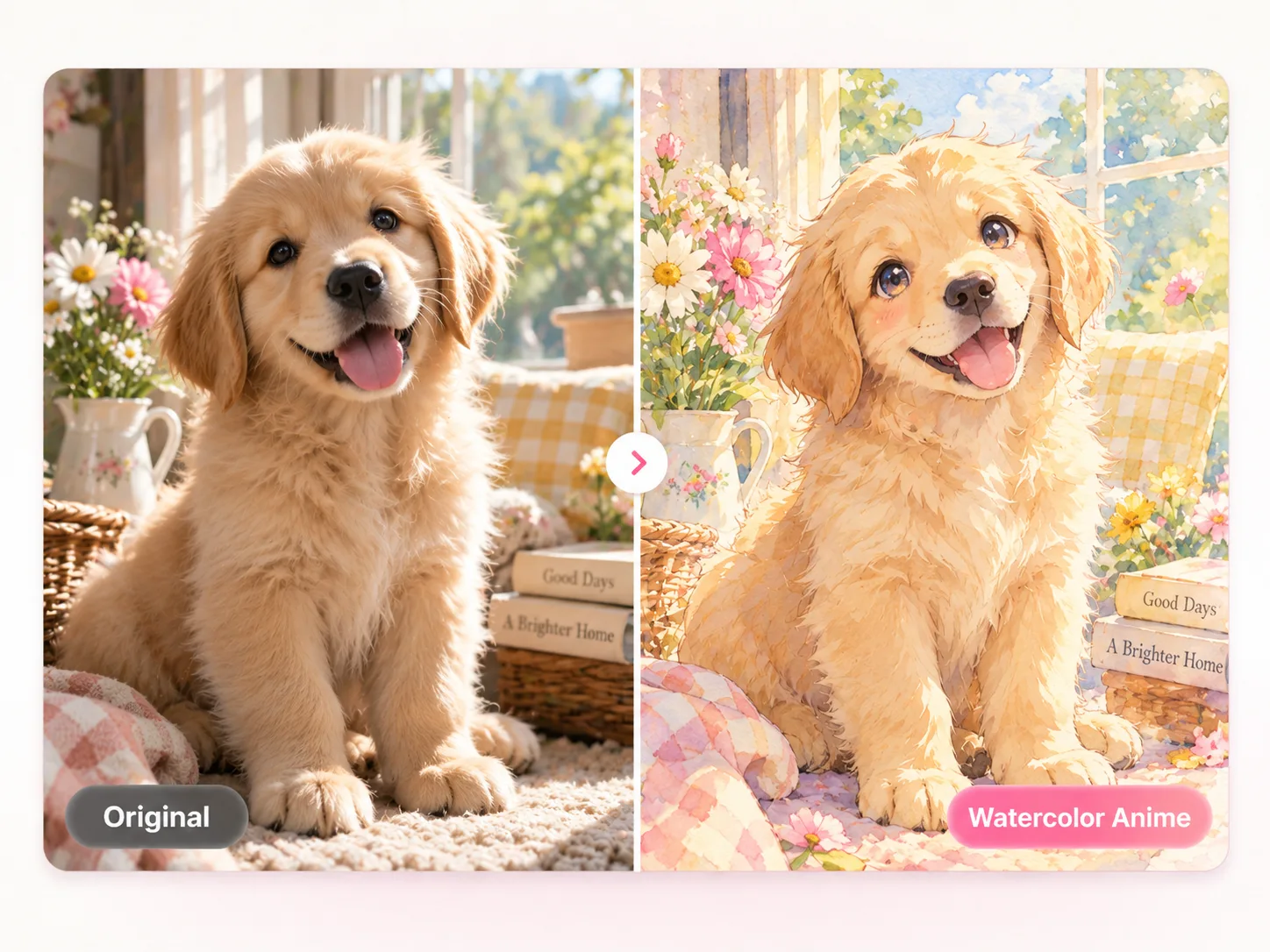
Reimagine this photo as a soft watercolor anime illustration. Preserve the subject, pose, and overall composition.
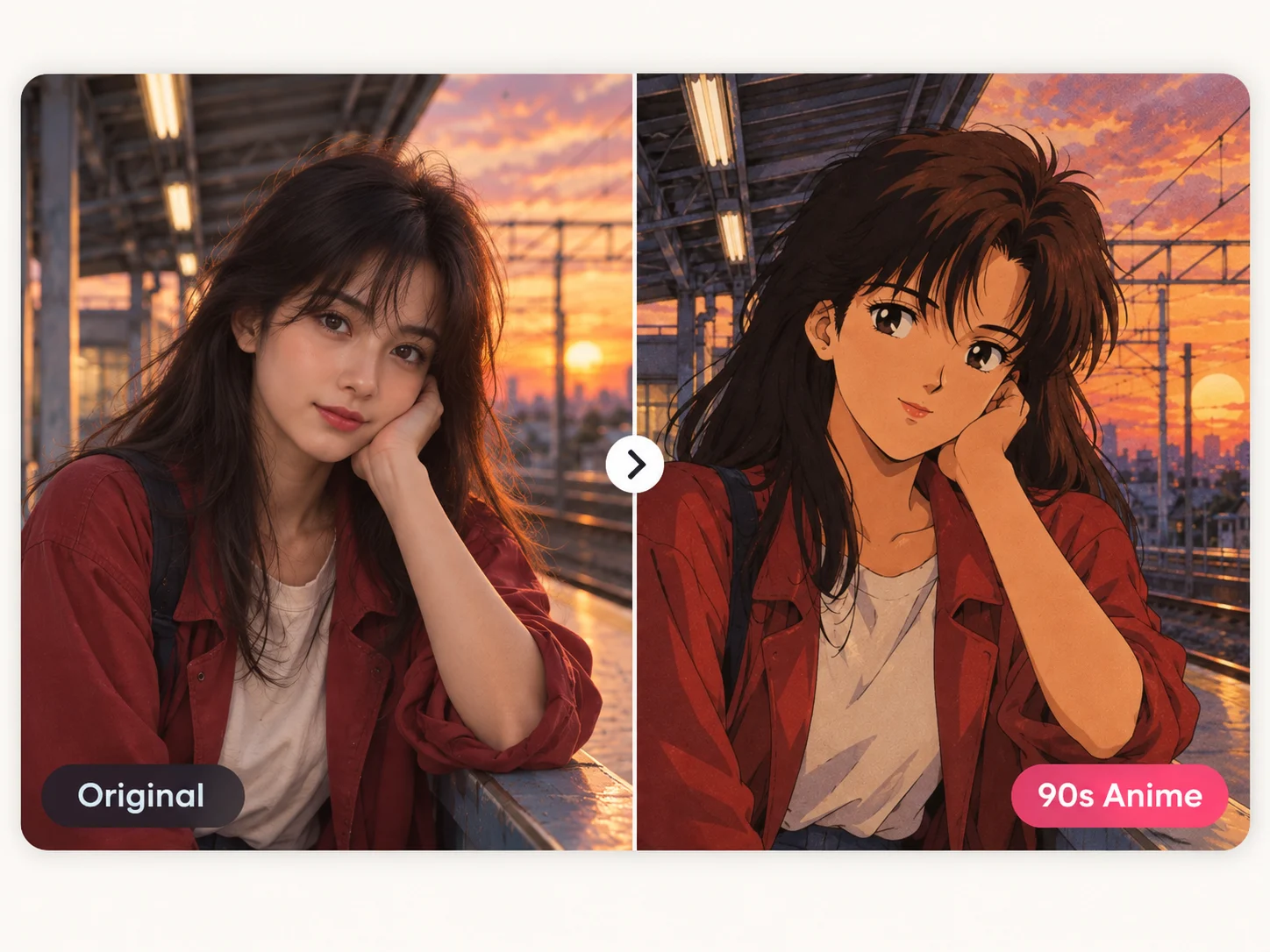
Turn this photo into a nostalgic 90s anime style illustration with crisp ink outlines, analog cel shading, softly muted colors, and subtle film grain. Keep the subject and composition recognizable.
FAQ
Practical answers about converting photos into anime-style images online.
A photo to anime converter uses your photo as a visual reference and generates a new anime-style image from a text prompt. It can change the rendering style while keeping important subject details recognizable.
New accounts get one free successful image generation after signing in. Further generations use the credits shown in the workspace and pricing page.
Yes. Sign in with Google before generating so the free allowance, credits, and completed work can be associated with your account.
Tell the AI what must stay unchanged, such as the face, expression, hairstyle, pose, clothing colors, camera angle, and composition. Clear constraints usually make the transformation more controlled. For specific refinements, make targeted edits with an AI image editor.
The workspace accepts JPG, PNG, and WEBP files up to 10 MB. Use a sharp photo with a clearly visible subject for more useful results.
Yes. Start with one of the style suggestions on this page or describe a different anime direction in your own words.
The best photo to anime maker gives you a clear image-to-image result while letting you control the style and preserve recognizable details. This workspace lets you describe the anime direction and the face, pose, outfit, or composition to keep.
Yes. This browser-based photo to anime tool works online without a separate app install. Upload a photo, choose or describe a style, and generate the result in the workspace.
A strong photo to anime converter combines a clear reference image, useful style controls, and prompts that preserve the details you care about. Keeping the subject, pose, and composition recognizable usually produces more useful results.
A filter applies a preset visual effect to the original pixels, while photo to anime uses image generation to create a new anime-style image from your photo and instructions. That makes the result more flexible, but it can also introduce creative changes.
More tools
Use a reference image to create new styles, scenes, and visual variations.
Create original images from text prompts without uploading a reference image.
Replace, remove, or change specific image details with a text prompt.
Turn visible image details into an editable, reusable AI prompt.
Create a new outfit from a person photo, prompt, or clothing reference image.
Improve photo clarity, resolution, and fine details online.
Upload a reference photo, choose an anime direction, and create your own new image.
Create an anime image