Upload one photo
Use a clear selfie or full-body photo where your face is visible and not covered. JPG, PNG, or WEBP up to 10 MB.
Halloween 2026 photo trend
Upload one selfie or full-body photo, pick Witch, Vampire, Zombie, Skeleton, or another costume, and AI dresses you up with a new outfit, makeup, and scene while keeping your face. Download the photo for TikTok or Instagram. New accounts get 10 free credits after signing up with Google or email, enough for up to 5 costume photos with GPT Image 2 at 1K (2 credits each).
Upload a selfie or full-body photo, then pick a costume preset or describe your own.
Sign in for 10 free credits
The short answer
An AI Halloween costume generator turns a photo of you into a Halloween costume picture. You upload one selfie, choose a costume, and the AI changes your outfit, makeup, and background while keeping your face recognizable. It is a quick way to try costume ideas before Halloween or to post a costume photo without buying one.
How it works
One photo in, one costume photo out. Most of the work is choosing the costume.
Use a clear selfie or full-body photo where your face is visible and not covered. JPG, PNG, or WEBP up to 10 MB.
Tap one of the 6 costume presets or describe your own. Then choose the model, aspect ratio (9:16 for TikTok), and 1K–4K resolution.
Generate the costume photo, compare it with your original, and download it to post on TikTok, Instagram, or your group chat.
Costume presets
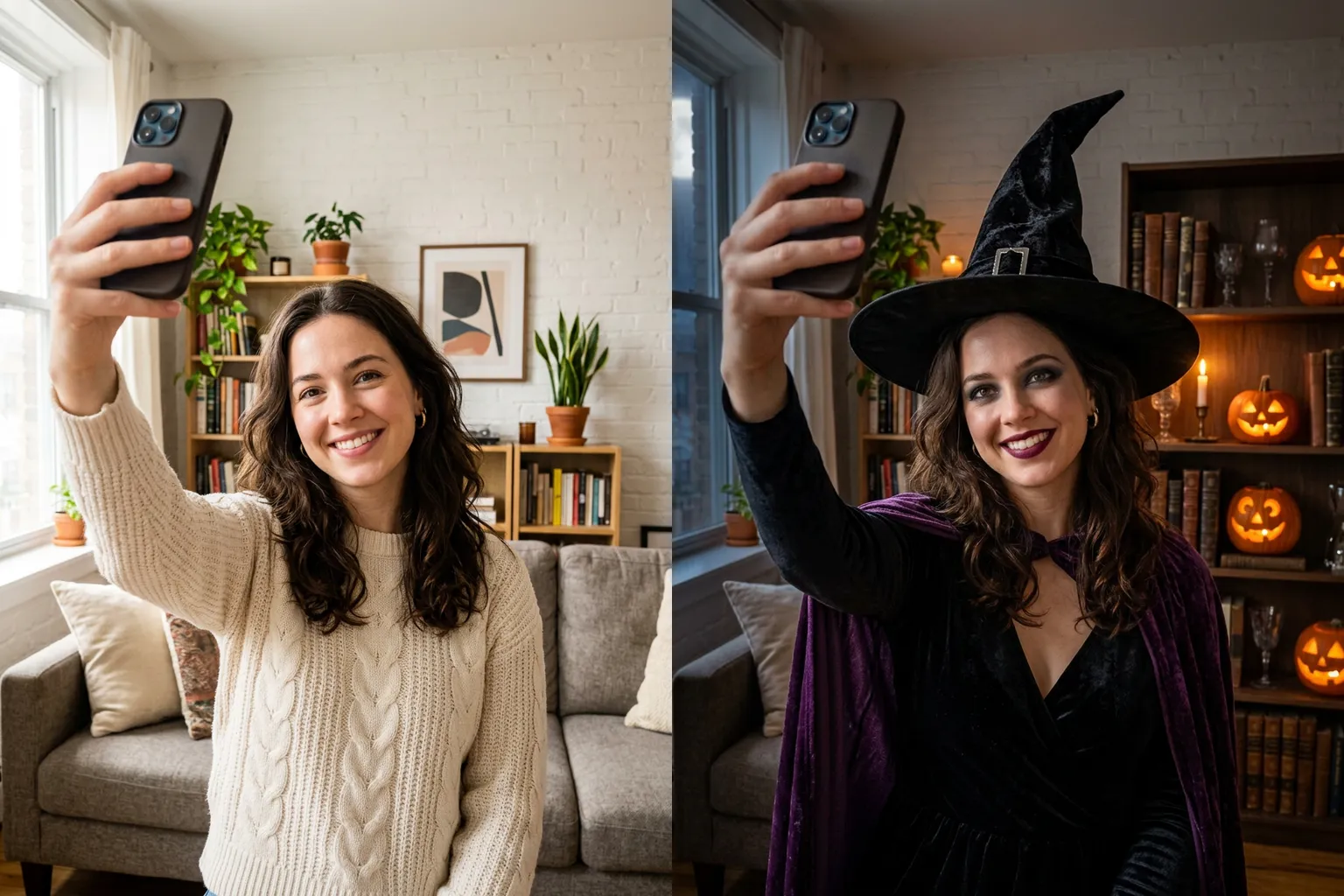
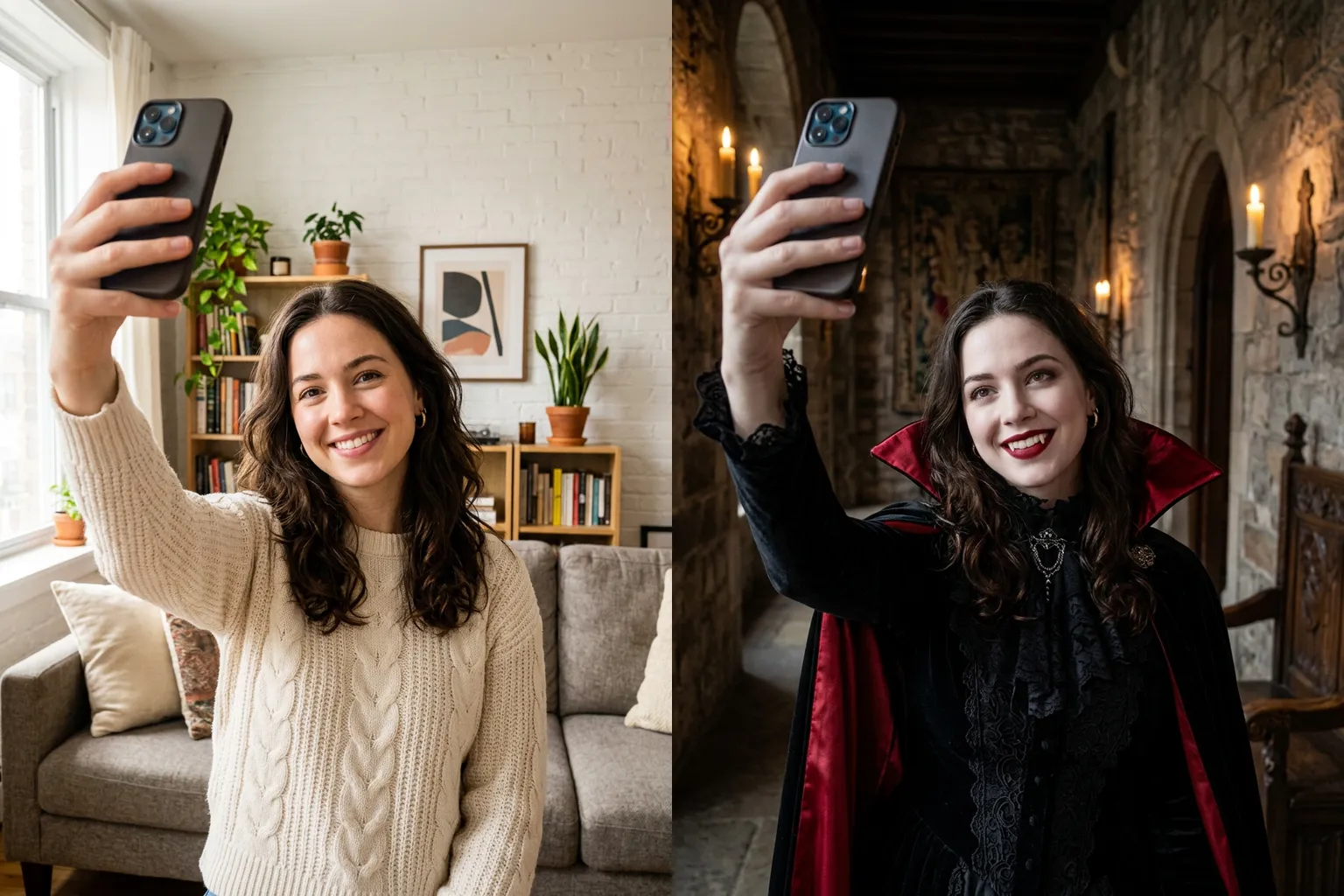
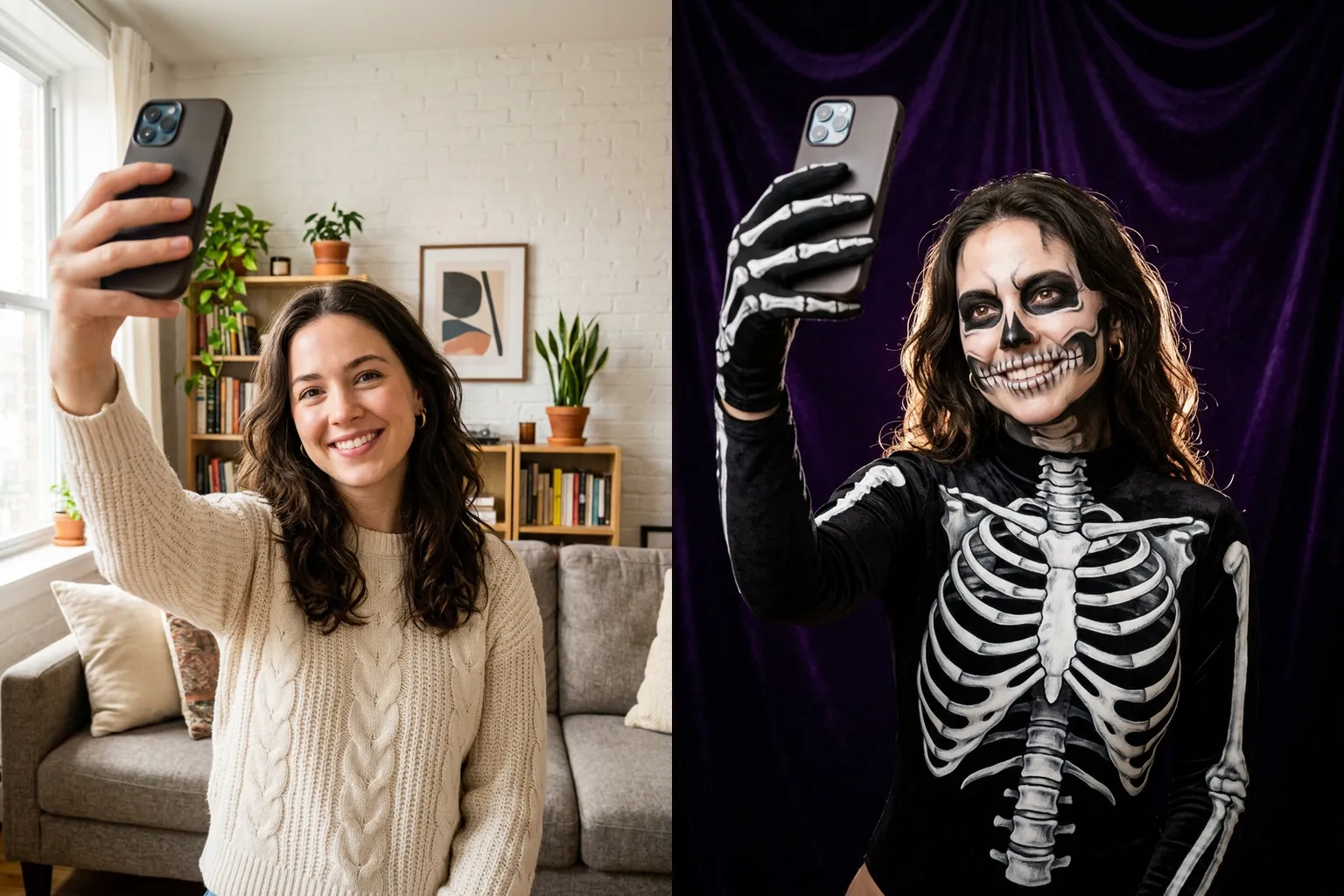
Each image below was generated from the same selfie with the preset prompt used in the generator. Tap a costume to load its prompt, then add your own details.
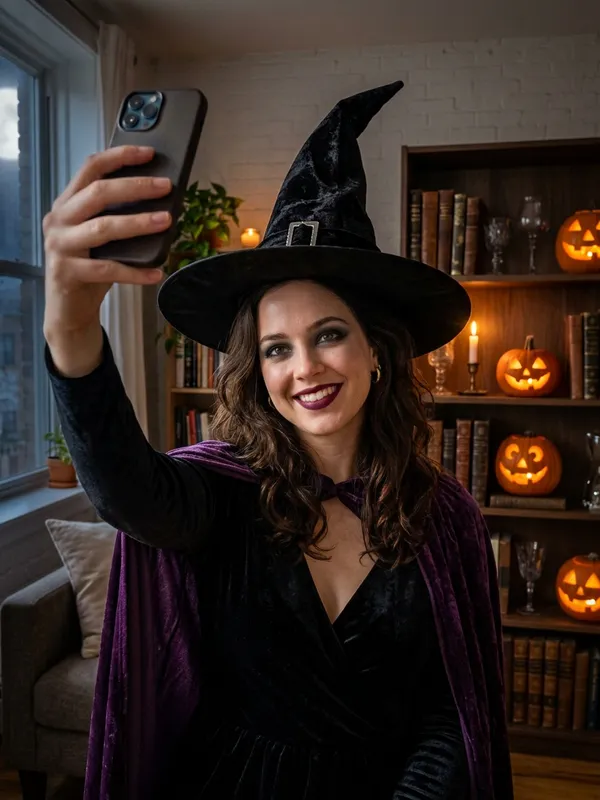
A pointed hat, velvet dress, purple cape, and candlelit pumpkins. A classic look that suits a simple selfie.
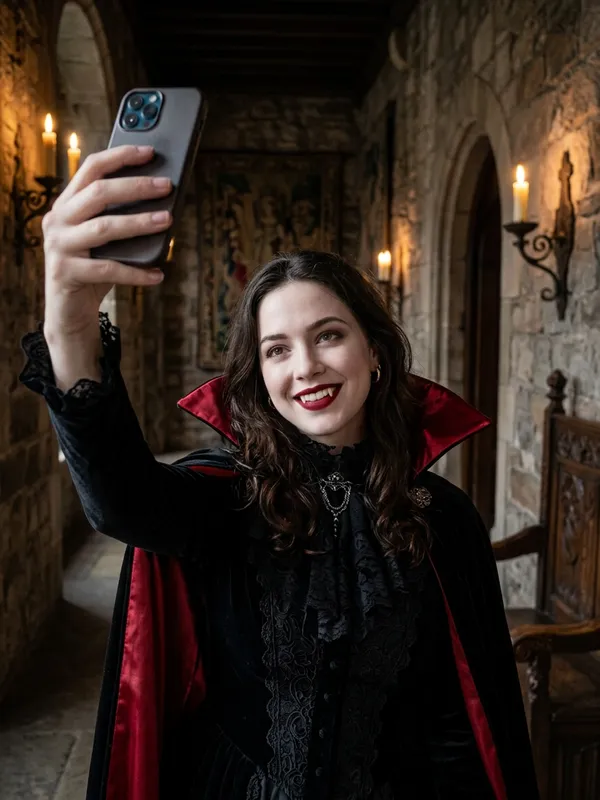
A high-collar cape with red lining, pale makeup, and subtle fangs in a gothic hallway. Works well for couples.
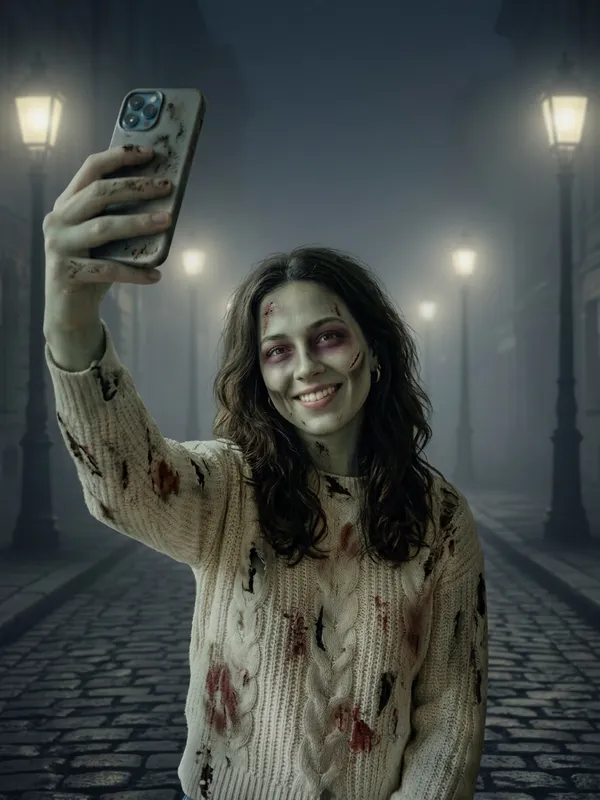
Grey-green makeup, scratches, and torn clothes on a foggy street. The prompt keeps it a costume look, not gore.
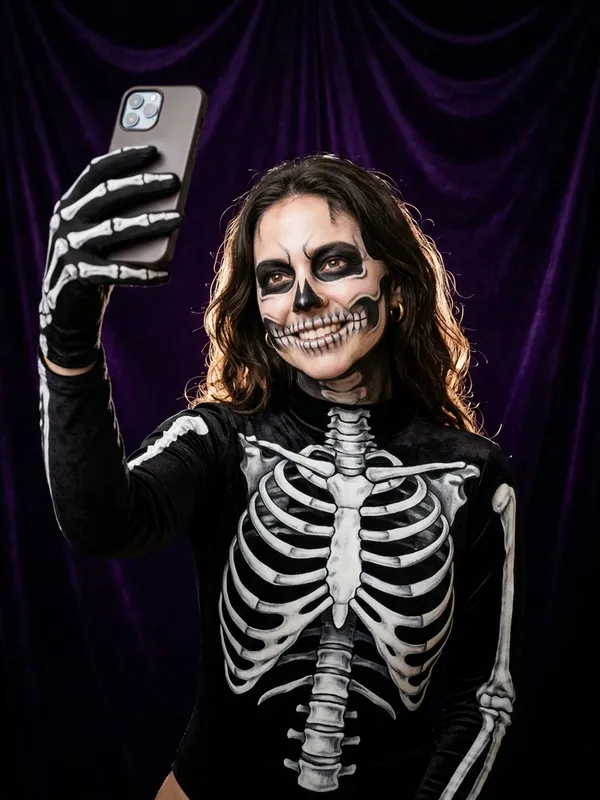
Skull face paint that follows your real face, plus a printed skeleton bodysuit. Your features stay readable under the paint.
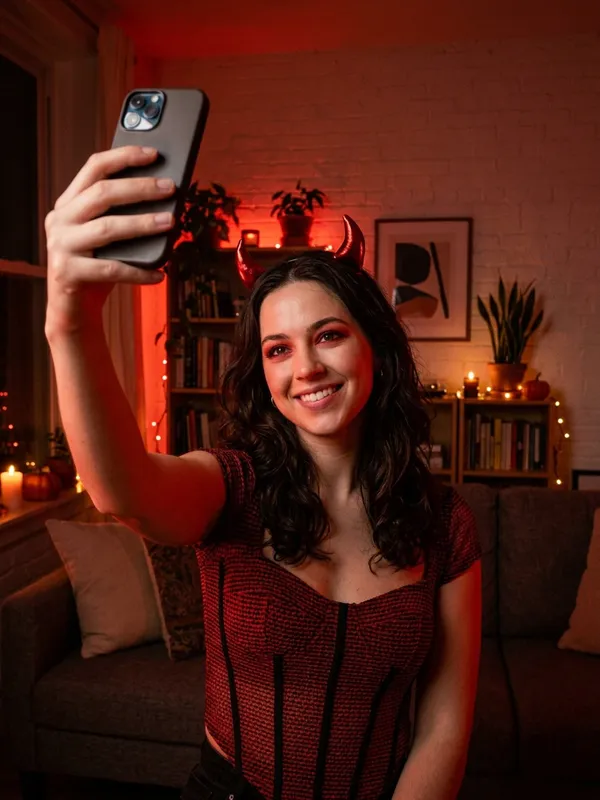
Red horns, a red-and-black outfit, and warm red light. A playful option for parties and group photos.
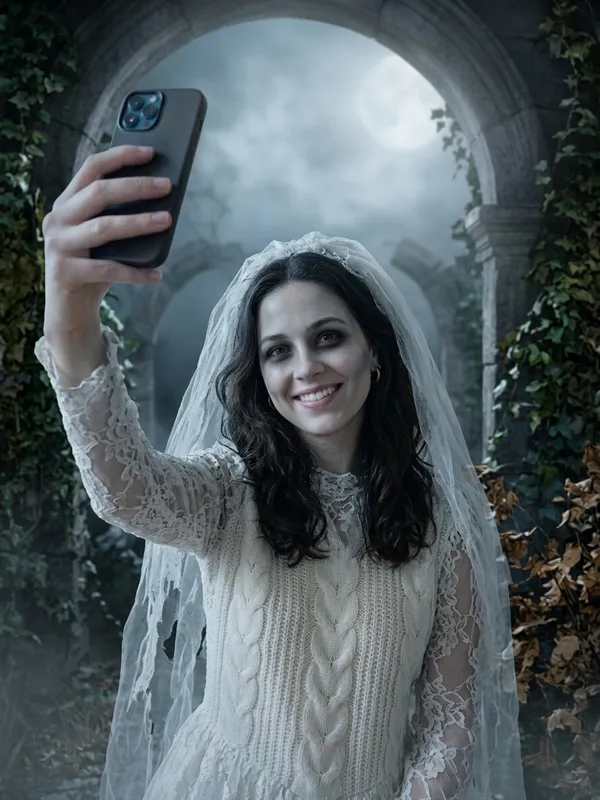
A tattered vintage wedding dress, veil, and pale makeup in a misty moonlit garden. A softer spooky look.
Realistic results
The goal is a photo that still looks like you, not a stranger in a costume. Here is what the generator changes and what it keeps.
Every preset asks the model to keep your face, facial features, skin tone, hairstyle, and pose, so friends can tell it is you.
The costume, special-effects makeup, and background change together, so the result looks like a real Halloween photo instead of a sticker.
A selfie gives the clearest face. A full-body photo shows the whole costume. Either way, keep your face unobstructed and well lit.
Couples, friends, and pets
Upload one photo with everyone in it and describe a matching costume. These two examples were generated from a single photo each.
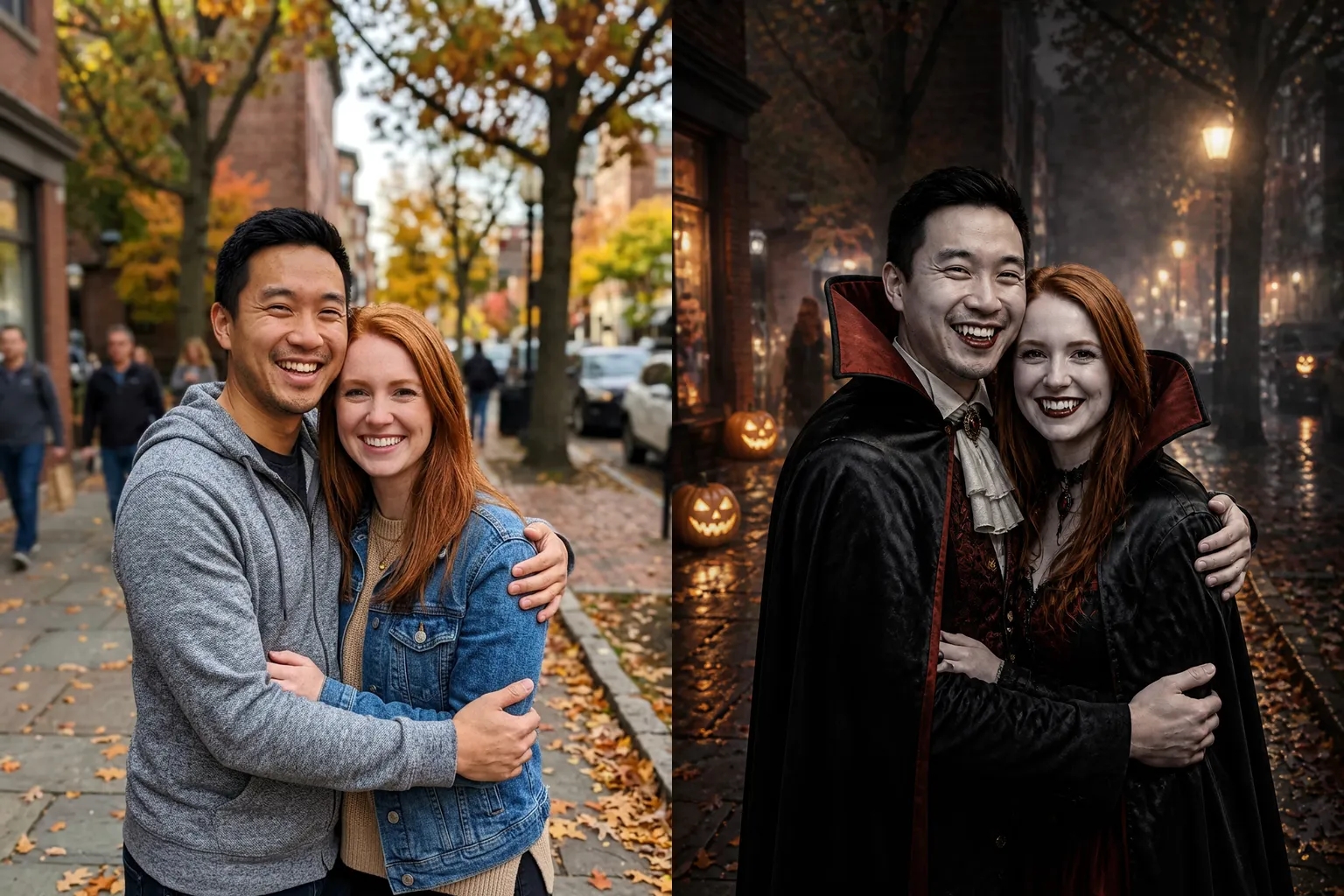
Prompt idea: "Turn both people into a matching vampire couple and keep both faces the same." Both faces stay recognizable when each person is clearly visible.
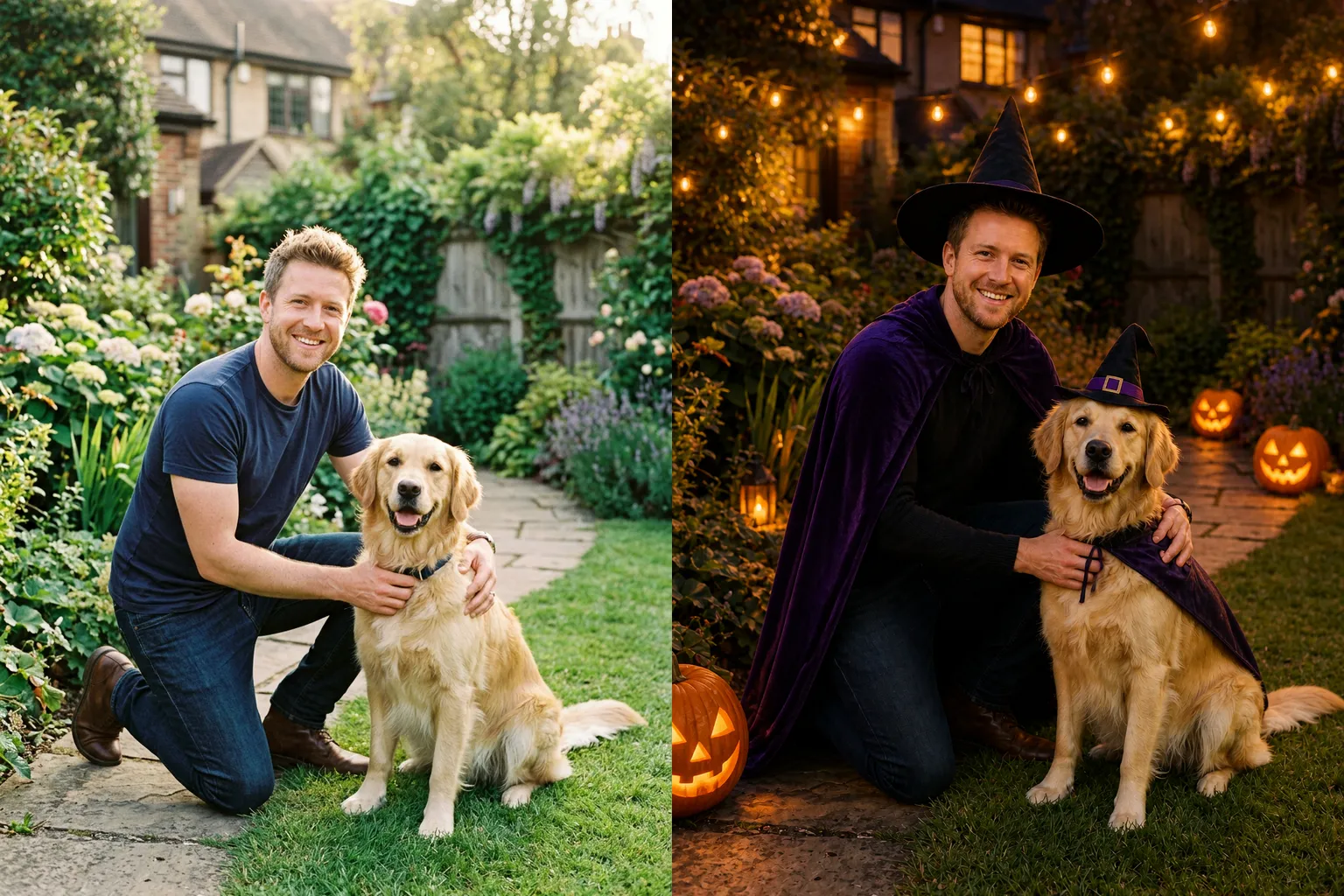
Prompt idea: "Give me a witch costume and dress my dog in a small matching witch hat and cape." Ask the model to keep the pet’s face, fur, and pose.
Group photos work the same way: describe one costume theme for everyone, such as a friend group of witches, and keep each face visible in the original photo.
Share the trend
The AI Halloween photo trend is simple: post your normal photo next to an AI costume version of yourself. Pick the size before you generate so the photo fits the platform.
Choose 9:16 for a full-screen vertical photo. Post a before-and-after slideshow with your original selfie first.
Choose 3:4 for a portrait feed post, or generate several costumes and share them as one carousel.
Choose 1:1 for a square avatar you can use on social accounts and chat apps through October.
Compare options
Filters and template apps are fast, but they limit what you can wear. An AI costume generator redraws the outfit and scene from your own prompt.
| Feature | AI costume generator (this page) | Halloween filters | Costume template apps |
|---|---|---|---|
| What changes | Outfit, makeup, and the full scene | A face overlay or color effect | Usually a fixed template |
| Your face | Kept from your photo | Kept, but the costume looks pasted on | Varies by app |
| Custom costumes | Any costume you can describe in a prompt | Only the filters offered | Only the templates offered |
| Install needed | No, works in the browser | Inside a social app | Yes, a separate app |
Free to start
Yes, up to 5 costume photos. New accounts get 10 free credits after signing up with Google or email. GPT Image 2 at 1K costs 2 credits per image, so 10 credits cover up to 5 photos. Higher-cost models and 2K or 4K resolution use more credits per image, and you can buy more credits on the pricing page. There is no unlimited free tier.
Want more costumes or sharper results? The Halloween pack adds 40 permanent credits for $4.99, enough for about 20 more GPT Image 2 photos at 1K or 4 Nano Banana 2 photos at 1K. Available until November 1.
Rules and limits
Read these before you upload. They keep the tool fun and keep you on the right side of other people’s rights.
FAQ
Direct answers about free use, photos, faces, sizes, and models.
You can do it on this page. Upload one selfie or full-body photo, pick a costume preset such as Witch or Vampire, and generate the costume photo in your browser. No app download is needed.
Yes, for up to 5 costume photos. New accounts get 10 free credits after signing up with Google or email. GPT Image 2 at 1K uses 2 credits per image, so 10 credits cover up to 5 photos; Nano Banana 2 at 1K uses 10 credits, so the same credits cover 1 photo. After the free credits run out, you can buy credits on the pricing page. There is no unlimited free plan.
No. You need to sign in with Google or email before generating, so the free credits and your results are saved to your account. You can browse the presets and examples without signing in.
Yes, it is designed to. Every costume preset tells the model to keep your face, facial features, skin tone, hairstyle, and pose. Results can still vary slightly, so a clear, front-facing photo works best.
Upload one well-lit selfie or full-body photo where your face is clearly visible and not covered by sunglasses, masks, or hands. JPG, PNG, and WEBP files up to 10 MB are supported.
Yes. Upload one photo with everyone in it and describe the matching costume, for example "turn both people into a vampire couple." Faces stay more accurate when each person is clearly visible.
Yes. Upload a photo of your pet, or of you with your pet, and describe the costume, such as a small witch hat and cape. Ask the model to keep the pet’s face, fur, and pose.
Use 9:16 for TikTok, Reels, and Stories, 3:4 for a portrait feed post, and 1:1 for a profile picture. You choose the aspect ratio before generating.
You can choose GPT Image 2, Nano Banana 2, Nano Banana 2.1, Nano Banana Pro, or Ideogram 4.5. GPT Image 2 at 1K is the cheapest at 2 credits per image. Other models and 2K or 4K resolution can be selected whenever your credit balance covers their cost, which the workspace shows before you generate.
Only upload photos you own or have permission to use, and get consent from everyone in the picture. Do not use the tool to impersonate real people or create misleading images.
More tools
Generate images and precisely edit products, lettering, and photo details.
Generate images from text or edit photos with Nano Banana 2.1.
Use a reference image to create new styles, scenes, and visual variations.
Create original images from text prompts without uploading a reference image.
Replace, remove, or change specific image details with a text prompt.
Turn visible image details into an editable, reusable AI prompt.
Turn a photo into anime, manga, chibi, and other illustrated styles.
Create a new outfit from a person photo, prompt, or clothing reference image.
Improve photo clarity, resolution, and fine details online.
Upload one selfie, pick a costume, and download a photo that still looks like you. Get up to 5 free costume photos after signing up with Google or email.
Make my Halloween costume photo