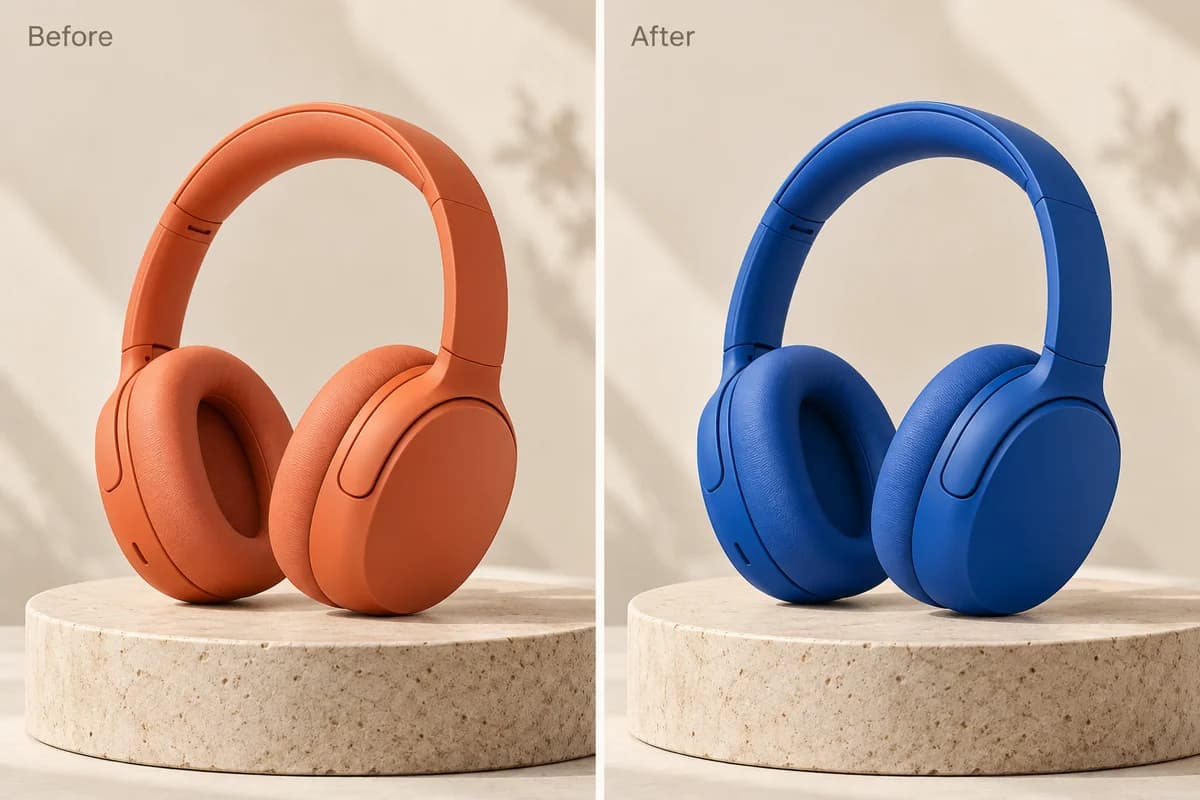
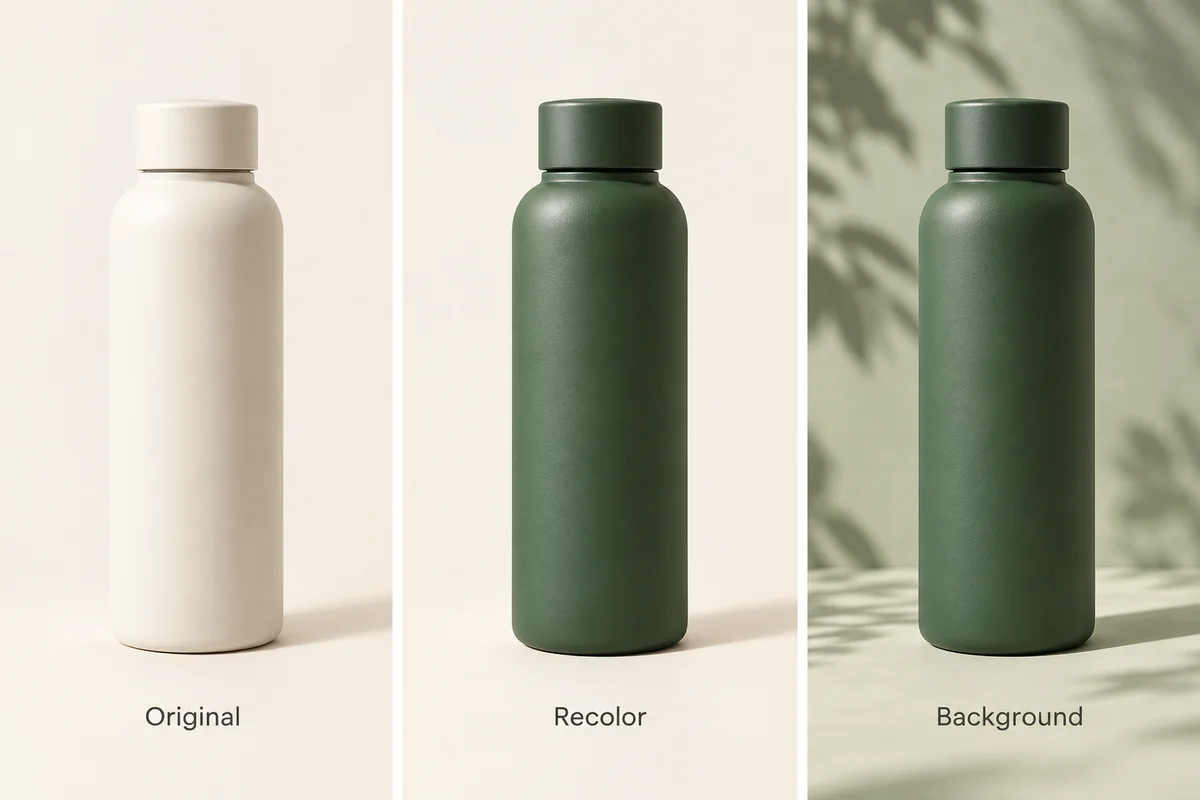
1. Precise Product Color Changes
Change the color or material of a product while keeping its shape, composition, and surrounding elements consistent.
You can use Ideogram 4.5 online at Image to Image AI to generate images from text prompts or precisely edit existing photos. Upload an image, describe your changes, and create a new result directly in your browser. New users can try their first image free after signing in with Google. No software download is required.
Describe the image you want to create.
New users can try Low or Medium quality for free with Google sign-in. No subscription required.
Loading recent tasks…
The Short Answer
Ideogram 4.5 is available on Image to Image AI for online image generation and precise photo editing. Choose Generate to create images from text or Edit to modify an uploaded photo while preserving unchanged details. Low, Medium, and High quality cost 5, 10, and 35 credits per image. New users receive 10 free credits after Google sign-in. No installation or subscription is required to try it.
Ideogram 4.5 is an AI image generation and editing model released by Ideogram on September 30, 2026 (UTC). It supports creating images from text prompts and making precise changes to existing images.
Its standout feature is Precise Edit, which is designed to preserve unchanged areas while modifying selected details. This makes Ideogram 4.5 particularly useful for product photography, text editing, design revisions, and multi-step image editing.
Unlike workflows that recreate an entire image for every change, Precise Edit focuses on updating the requested areas while reducing unwanted changes elsewhere.
Change the color or material of a product while keeping its shape, composition, and surrounding elements consistent.
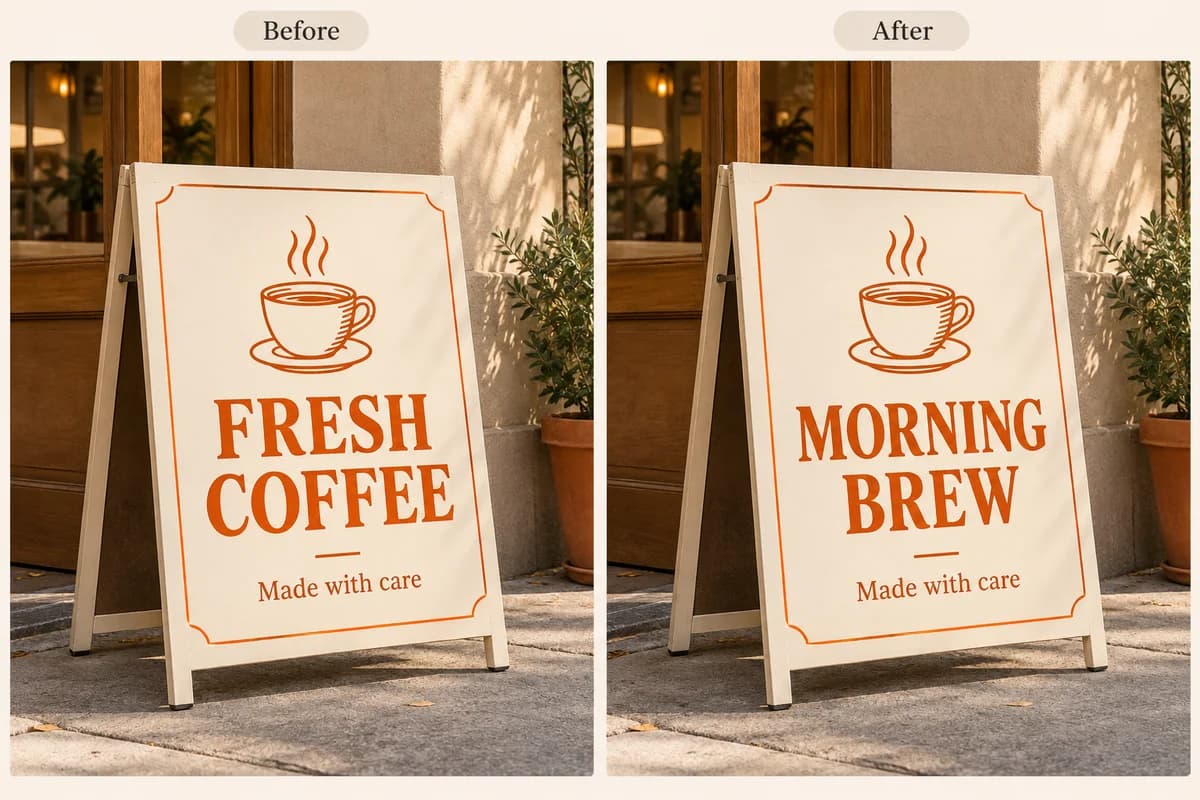
Replace words on posters, signs, labels, and promotional graphics without redesigning the entire image.
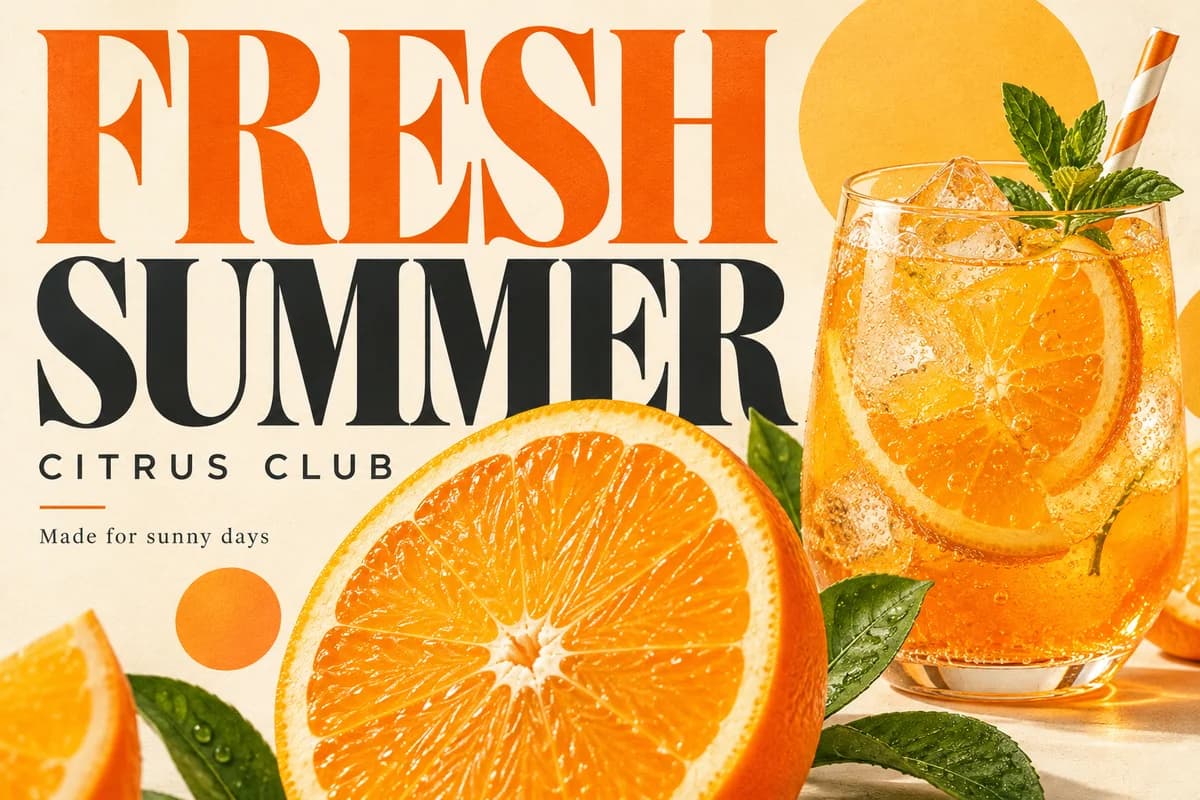
Create promotional posters, typography-focused visuals, and social media graphics from text prompts.
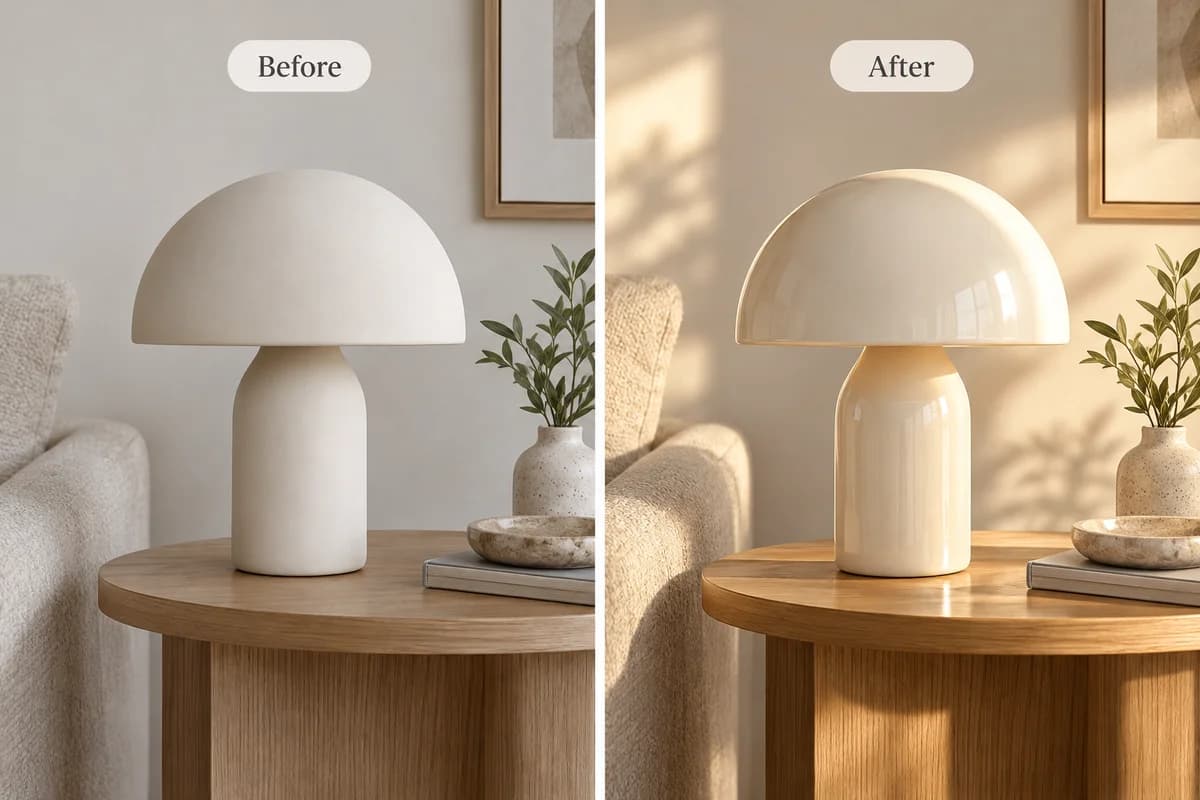
Adjust lighting, color tones, textures, or surface finishes while preserving important details.
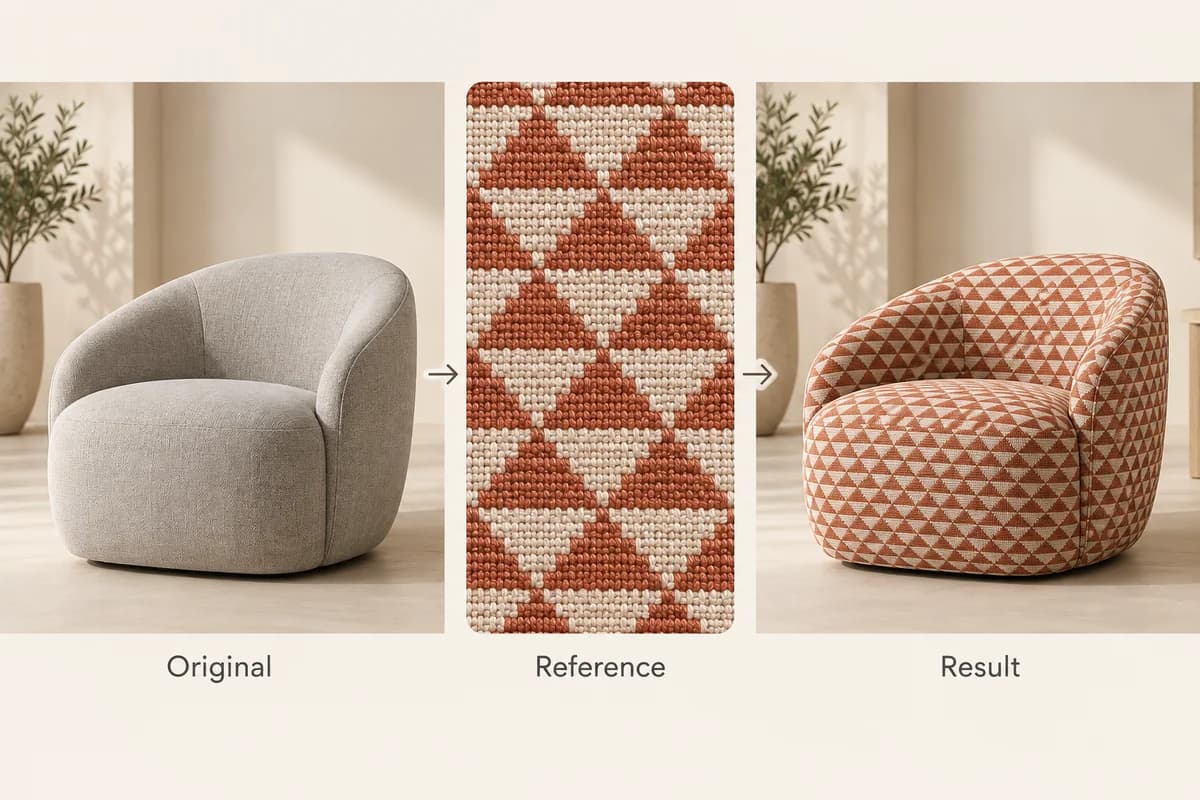
Use reference images to guide colors, materials, or visual styles for more controlled revisions.
Make several edits to the same image while reducing unwanted changes to the original composition.
Create and edit images directly in your browser without installing any software.
Sign in with Google to receive a free first-use allowance. No paid subscription is required for the eligible free trial.
Switch between text-to-image generation and image editing without changing tools.
Describe the exact changes you want and use high-precision editing to preserve other parts of your image.
See the required credits before generating or editing an image, so you know the cost before you start.
Select Generate to create an image from text, or choose Edit to upload an existing photo.
Describe the image you want to create or specify the details you want to change. Choose the available quality settings and review the credit cost.
Run Ideogram 4.5, review your result, and download the finished image. For edits, you can continue refining the result with another prompt.
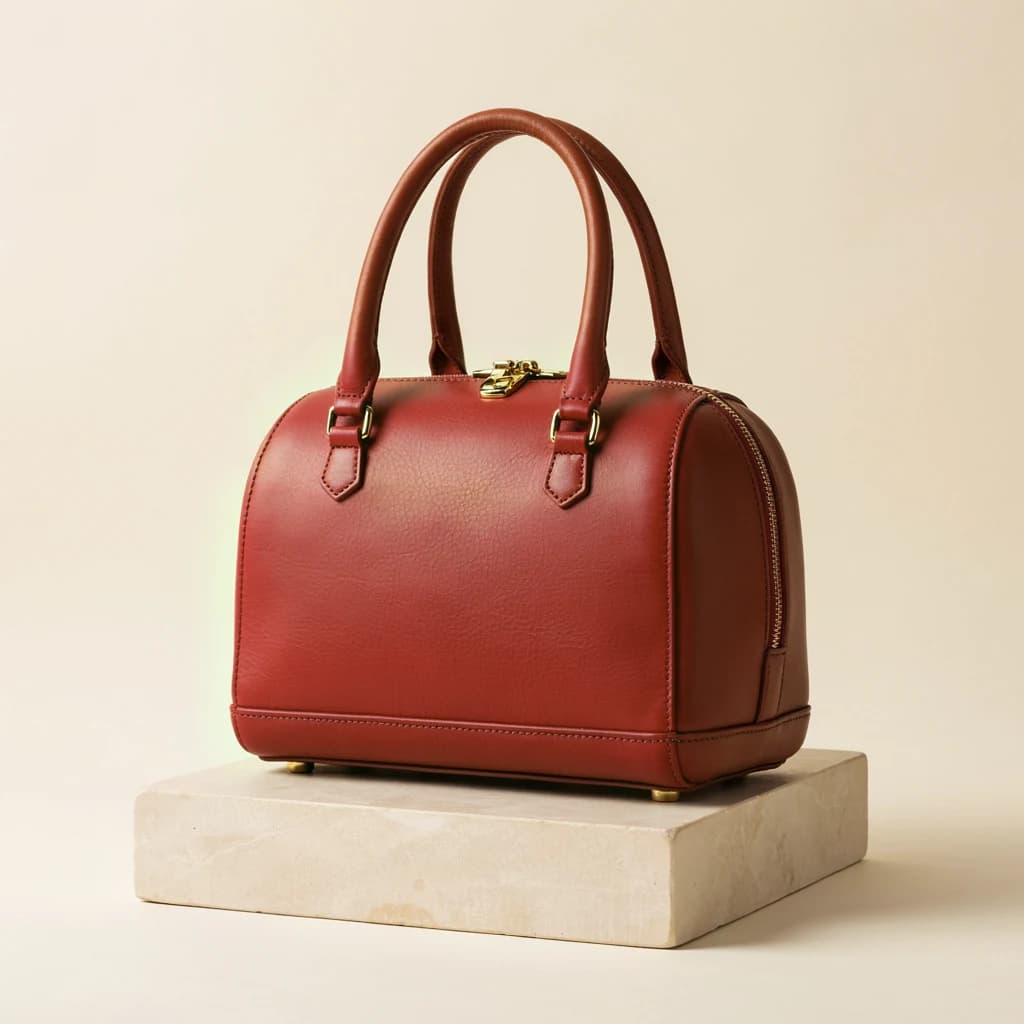
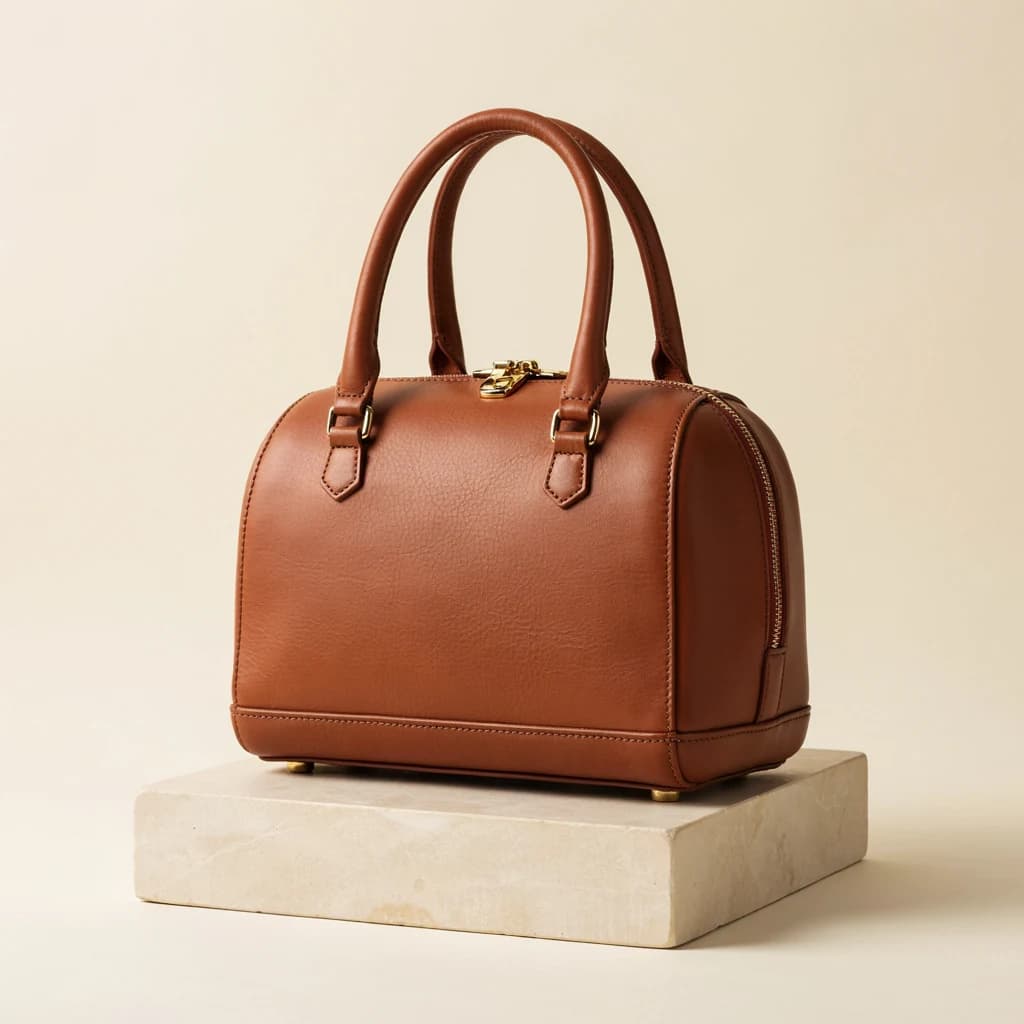
"Change the handbag from brown leather to deep red leather. Keep the original shape, stitching, lighting, camera angle, and background unchanged."


"Replace the text on the storefront sign with 'COFFEE HOUSE'. Keep the original font style, sign colors, perspective, and surrounding building unchanged."
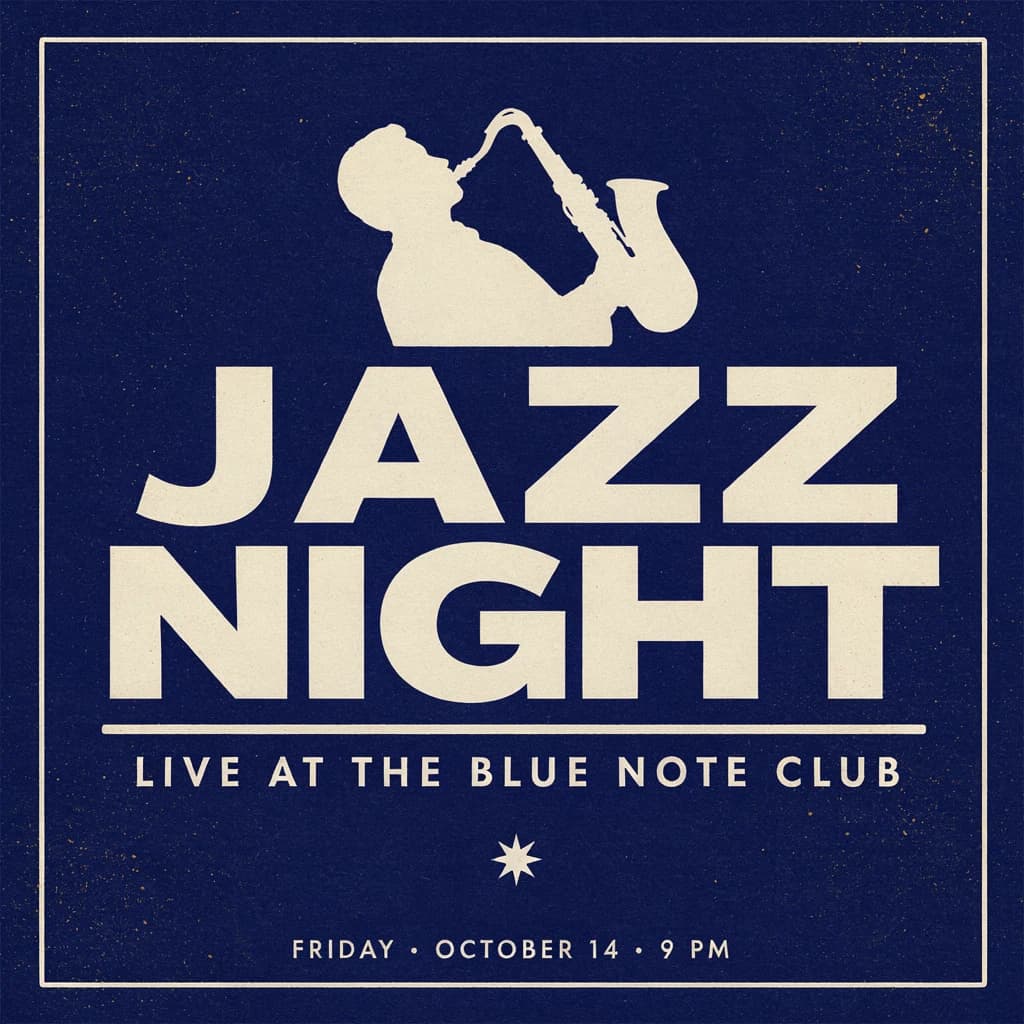
"Create a vintage jazz concert poster with the headline 'JAZZ NIGHT', large cream-colored typography, deep navy background, subtle paper grain, and elegant 1960s graphic design."
| User needs | Suggested model |
|---|---|
| Targeted edits with unchanged-pixel preservation | Ideogram 4.5 Precise Edit |
| Posters, signs, and text-heavy graphics | Ideogram 4.5 |
| General-purpose AI image creation and editing | Nano Banana 2.1 |
| Advanced AI image workflows and complex visual generation | Nano Banana Pro |
This table describes model positioning, not a tested ranking of results. Choose a model for your workflow and review the generated images.
You can use Ideogram 4.5 online at Image to Image AI. Our browser-based tool lets you generate images from text prompts or upload photos for editing without downloading software.
Yes, eligible new users can try Ideogram 4.5 once for free after signing in with Google. Additional image generations or edits use credits, with the required amount shown before each request.
Yes. Image to Image AI runs in your web browser, so no desktop or mobile app installation is required.
Yes. Upload an existing image, describe what you want to change, and generate an edited version. You can use it for product adjustments, text modifications, and other targeted edits.
Precise Edit is an image editing capability designed to change specific details while preserving unchanged areas of the original image. It helps reduce unwanted shifts in color, texture, and composition during revisions.
Yes. Ideogram 4.5 supports text-focused image editing, including replacing words on signs, posters, and product graphics. Results should be reviewed carefully for spelling and layout accuracy.
Yes. You can continue editing a generated or uploaded image with additional prompts. Ideogram 4.5 is designed to reduce visual drift during successive changes, although results can vary.
Yes. Ideogram 4.5 can generate posters, typography-based graphics, and logo concepts from text prompts. For professional use, always review lettering, fine details, and design consistency before publishing.
The cost depends on the selected image quality and your available credits. Image to Image AI displays the credit cost before each generation or edit, and eligible new users receive a free first-use allowance.
No. Image to Image AI is an independent third-party tool that provides access to Ideogram 4.5. The official Ideogram website is ideogram.ai.
You can upload one primary image and up to four additional reference images for editing. Each extra reference image costs 2 credits on Image to Image AI.
Ideogram 4.5 on Image to Image AI offers Low, Medium, and High quality tiers rather than a dedicated 4K setting. Output dimensions depend on the image operation and model settings. A High quality selection does not guarantee 4K resolution.
No. On Image to Image AI, simply upload an image and describe what you want to change. Precise Edit runs automatically without a manual mask control.
Only upload images you own or have permission to edit. AI-generated results may contain mistakes, and preservation of unchanged details is not guaranteed in every case. Review your output before using it in commercial or public-facing materials.
More tools
Generate images from text or edit photos with Nano Banana 2.1.
Use a reference image to create new styles, scenes, and visual variations.
Create original images from text prompts without uploading a reference image.
Replace, remove, or change specific image details with a text prompt.
Turn visible image details into an editable, reusable AI prompt.
Turn a photo into anime, manga, chibi, and other illustrated styles.
Create a new outfit from a person photo, prompt, or clothing reference image.
Improve photo clarity, resolution, and fine details online.
Generate a new image or make precise changes to an existing photo with Ideogram 4.5.